Friday, 3 April 2009

Dealing with new music

I seem to always have lots of music waiting to be listened to. Whether it's bought or recommended and shared by friends, it always needs to go through my commissioning process before it gets to be in my iTunes library.

This is my tried and tested method for getting new tracks tagged and sorted just the way I want them. What this post does not cover is what I did with the 25,000 tracks I had before I worked this out (which is the real 'odyssey' to be honest). I thought I had best detail the everyday process first.

There are 10 easy steps, as follows:

1. Put all new tracks into one root folder (let's call this 'new' for the purposes of this post), whether they are bought, shared or ripped (sub-folders do not need to be organised in any particular fashion.

2. Examine all the files to see whether they are all in mp3 format or not. My entire music collection is in mp3 (bar audiobooks). This way I should never have any compatibility issues in the future.
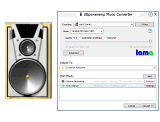
3. Convert any files in the 'new' folder without an mp3 extension using dBpoweramp. It is simple and effective. You just need to make sure you match the bitrate. This process is addressed in this post.
4. Delete all the non-mp3 files from the 'new' folder.

5. Open up MediaMonkey and point the directory at the 'new' folder. Choose 'All' so that all the tracks in the folder are shown.

6. Go through each album (or track if you have singles - I rarely do) and tag them automatically with the handy context menu or Ctrl-L keyboard shortcut. A more detailed description can be found here.

I no longer worry about changing the filename to my strict naming convention, since this is now irrelevant as I have allowed iTunes to manage my collection.

7. Close MediaMonkey and open iTunes.

8. Import your nice clean files into iTunes by choosing File --> Add Folder to Library and pointing it to your 'new' folder. This will copy the files from the 'new' folder into the nominated iTunes library location. iTunes will rename the files according to its simple convention.

9. Verify your new tracks are in iTunes with a quick search or by building a smart playlist with today's date as the 'Date Added' field.

10. Delete the corresponding files in your 'new' folder since these have already been duplicated by iTunes.

The useful thing here is that your tagged files will have been imported into iTunes all on the same date. Hence, you can create a simple smart playlist to group all these together into one place which then slowly empties as you listen to them. This way you can effectively commission the music and make sure you've at least listened to it all before it joins the rest of the 25,000 tracks.

Thursday, 2 April 2009

An MP3 Odyssey: from MusicMatch to WinAmp to WMP to MediaMonkey to iTunes

I 'acquired' my first mp3 file in early 2000 with the original Napster. Since then my collection has blossomed from a handful of files to an amazing 25,000. Part of this growth involved ripping my entire CD collection in 2003 when I got my first iPod (2nd gen).

Ever since I converted to an 'intangible' music storage system, I have struggled to manage it effectively. This has meant that the last time I listened to a lot of my favourite music was back in 2003 when I first went all mp3.

Being slightly anally retentive, I've never been happy with simply ripping a CD or procuring some music without having it perfectly tagged. I won't get into this yet, but suffice to say, my mp3 collection is (IMHO) very well ordered.

As can be seen by the title of this post, I have tried a number of different pieces of software, tag editors, processes and procedures to tame my huge music collection over the years. I think I'm finally almost there with a user-friendly solution that might just last. On looking back, the goal should never have been about constructing a beautifully ordered folder taxonomy and tagging like I had an OCD. It should have been about the user experience - and not just mine at that. A system that works even for the lay-person is what's needed and that's where I'm at. Almost.

So, first a bit of history; I was initially introduced to ripping music to mp3 using MusicMatch Jukebox. I used this religiously until it was taken over by Yahoo! when it seemed to loose a few of the functions I counted on the most; namely automatic tagging. I played with WinAmp for a short while, and also Windows Media Player. WMP was pretty good as a player, but I was disappointed in its tagging facility, so I went looking elsewhere as my directory of untagged music grew larger and larger over a couple of years.

After reading the excellent Lifehacker, I eventually found that I could do all the tagging I used to do (and more) with MediaMonkey. I was very impressed with it and after a short while was tagging quicker than ever and had caught up with my major backlog. I have made a few discoveries recently that make it even better (all to be revealed in good time).

Unfortunately, I wasn't happy with MediaMonkey as a player. I'm not sure why - it has tonnes of features and looks good - I just never really clicked with it from that point of view. I then decided to conform and try the Big Kahuna of them all, iTunes. I'd read so much about why iTunes was great, but had never persevered further than just syncing my iPod then iPhone with it. I had never used it as a player. that has all now changed and I must say, I am converted and loving it.

I like its simple, non-intrusive interface. I like the fact that I can make smart playlists using logic (I had always avoided playlists beforehand). I love the fact that the Genius function, working together with a well tagged music library, can get my 'better half' subconsciously bopping after choosing just one funky song (this is the accessibility and usability part of my odyssey). Altogether, I think it's great, but I had to grow up and get rid of two precious things: my folder taxonomy and my file naming convention. Once I'd got over this and learnt to love iTunes looking after my library, all I needed to focus on was the tags. In retrospect, this is somewhat of a relief since it's one less thing to worry about.

I now have an even better tagged and ordered system. We listen to music more and find what we want to listen to more easily. There are still some little things I need to crack before I am completely content, but that will come in time. What I plan to do here is to blog about each thing I did and changed, why I did it and how I did it. This way I can share what has given me a bit of a music renaissance.

Wednesday, 1 April 2009

Welcome to the Tippopotamus blog

This new blog will aim to provide tips, hints and shortcuts to daily life. Specifically it will have a tech-based flavour to it.

I plan to start off with how I managed to get my mp3 collection under control after 9 years of experimentation.

So watch this space...
